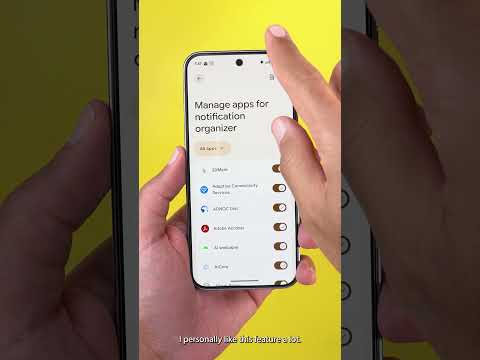
Here is a quick look at the notification organizer of Android 16 QPR2. This feature is exclusive to the Pixel 9 models and the newer, excluding the A series. And now let's take a look at how it works. To activate the feature, head over to your settings, then notifications, then notification organizer. And here you have a toggle to activate the feature and to choose between five different categories or bundles. Here you have promotions, news, social, and suggested. You can check or uncheck whatever you want. Then we have a toggle here to always expand the bundles, but unfortunately this one doesn't always work for me. Sometimes it works and sometimes not. Then we have the manage apps menu. And here you can choose what apps to include in the notification organizer. It will first show you the most recent apps, but you can also choose all apps and turn off whatever you want. I personally like this feature a lot. It made my notifications shade a lot cleaner. Here I have the social category which includes Tik Tok, YouTube, and X. Then we have the news category which has the Google app and Google News app.
Then we have the suggested which includes YouTube studio and [music] Reddit. And finally, I have the promotions which includes the Tim Horton's app. So the classifications are correct and I'm really impressed by the performance of this feature and how cleaner is my notification shape. So, please let me know what do you think about the new notification organizer. And if you want to watch my full videos about Android 16 QPR2, you can use the links in the description. But for now, thanks so much for watching and see you in the next.


